

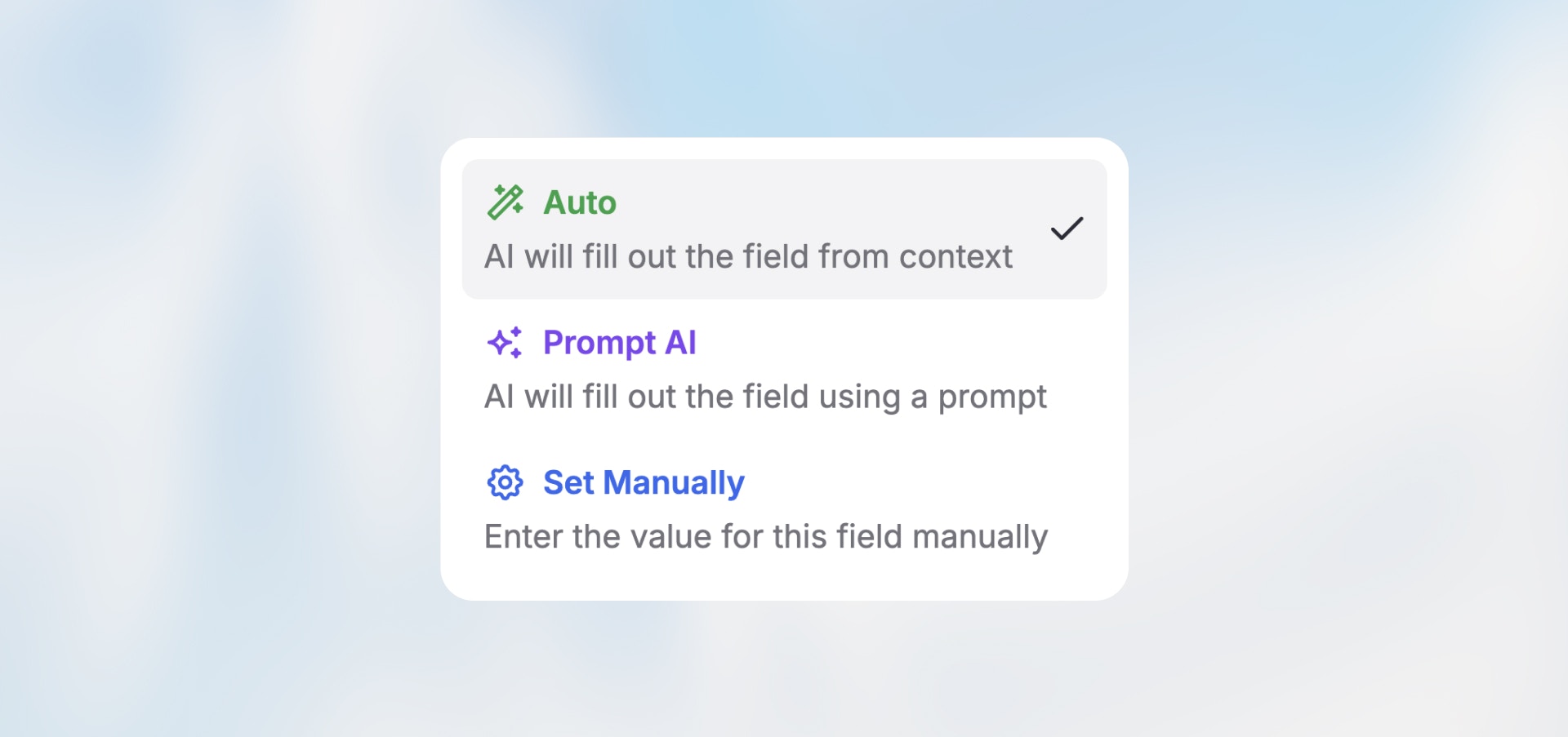
Overview
Every node field can be configured in one of three modes. Choose based on whether you need AI intelligence, exact control, or quick setup.The Three Modes
Manual Mode
You specify the exact value—static text, variables, or a combination.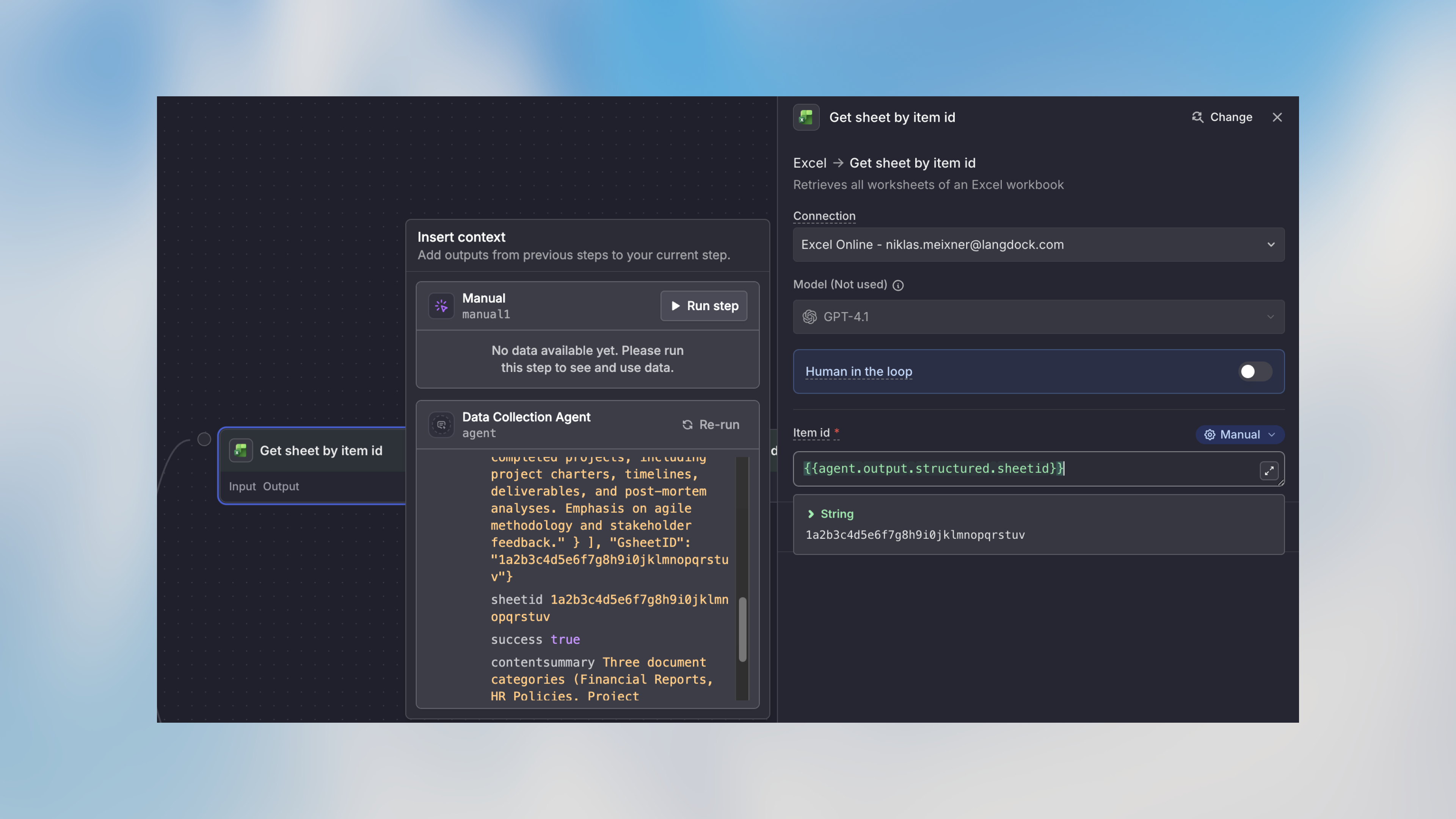
No AI credits. Fastest and most predictable. Use this whenever possible.
AI Prompt Mode
Give natural language instructions for AI to generate content.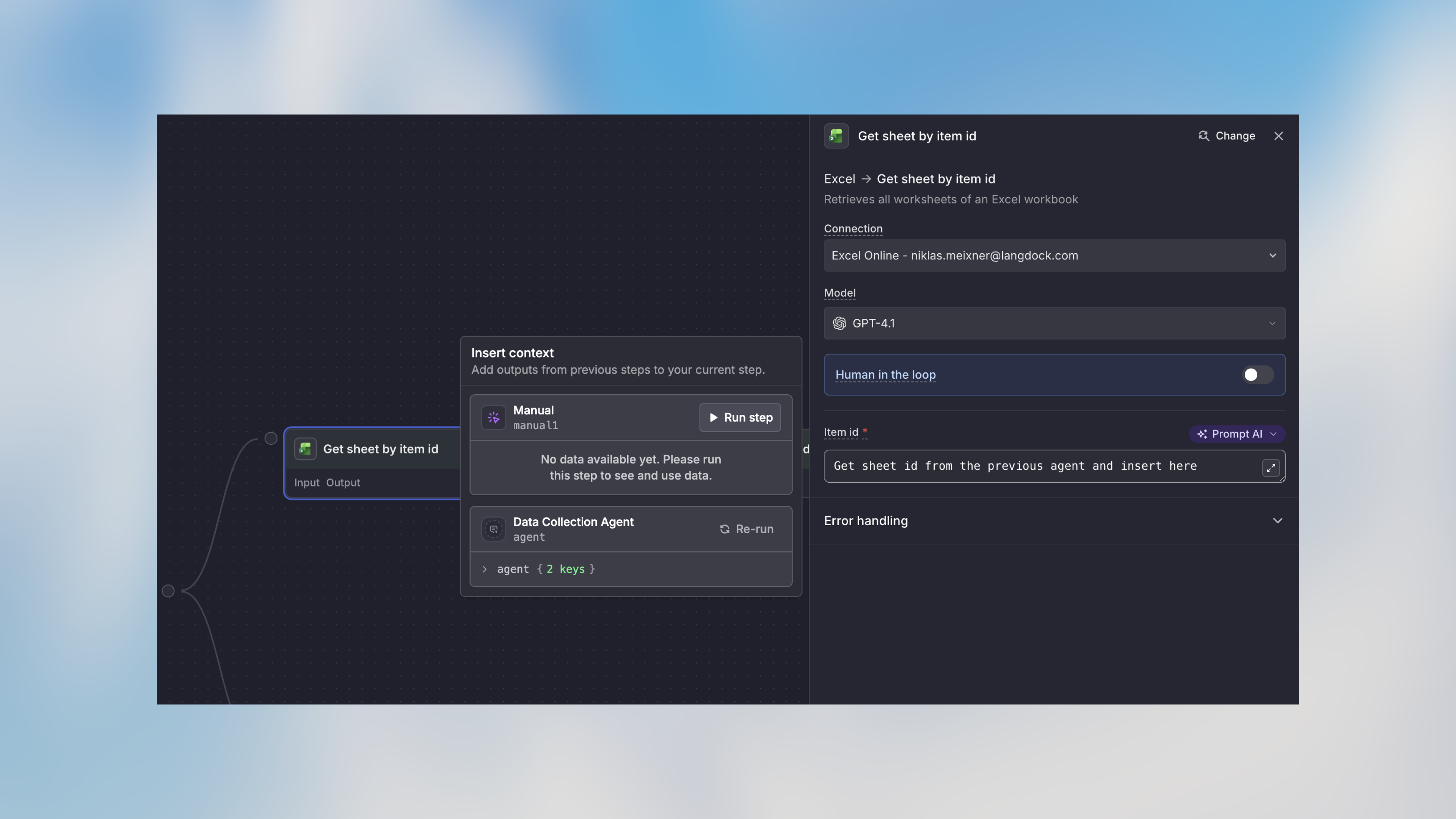
Uses AI credits. Output varies between executions based on context.
Auto Mode
AI analyzes context from previous nodes and determines the value automatically.Uses AI credits. Convenient for quick setup, but less predictable than Manual.
Quick Comparison
Recipient fields such as To, Cc, and Bcc are never filled by AI by default, to protect against prompt injection. If you switch them to Auto or AI Prompt, the editor shows a security warning. See the Action node page for details.
Variable Syntax
Both Manual and AI Prompt modes support variables:Real-World Examples
Customer Support
Data Processing
Next Steps
Variable Usage
Deep dive into workflow variables
Agent Node
AI-powered content processing